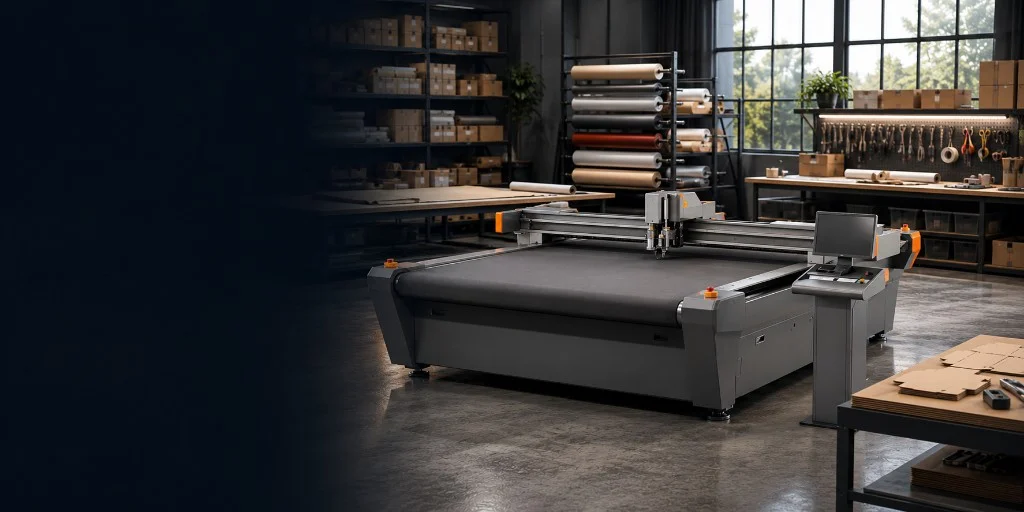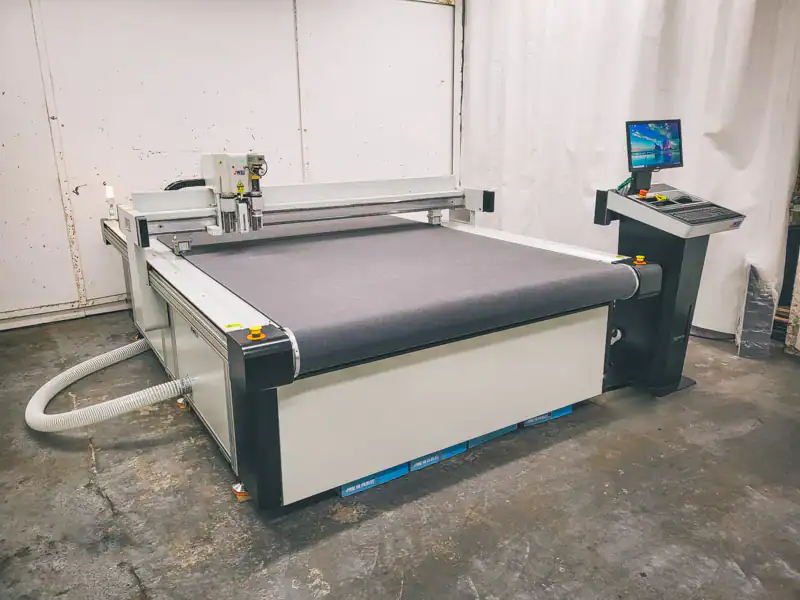
People looking for an oscillating knife cutter, a CNC knife cutter or a digital cutting table are usually looking at the same class of machine. The name changes by industry. The decision that matters is the tool in the head. An oscillating knife is the everyday cutter on thicker board and foam. Other tools cover thin film, cartons, fabric and light routing.
Pick the tools around the materials you cut. Oscillating and drag knives, crease, kiss-cut and the optional 350W router are listed on the digital cutting table range.
Which tool to specify
- Specify an oscillating knife for corrugated, honeycomb, KT board, PVC foam and thicker flexible stock.
- Use a drag knife on vinyl, thin plastics and light board — typically around 5 mm or less, depending on the material.
- Add kiss-cut when you need the face of a label or vinyl cut without cutting the liner.
- Add crease and V-cut when you make cartons, trays and structural display board.
- Add a rotary tool for textiles, banner fabric and dry carbon fibre.
- Add the electric foam tool when inserts and sponge work go up toward 50 mm.
- Choose SC PRO only if you also need the optional 350W router for light milling.
What the oscillating knife actually does
The blade moves up and down at high frequency while the gantry follows the drawing. A vacuum bed holds the sheet flat. That chopping action is why an oscillating knife gets through corrugated, honeycomb, KT board and PVC foam without the stalling or tearing a drag knife can leave on thicker stock.
On the SC tables Mantech supplies, the oscillating knife sits on a dual quick-change head with a drag knife and a plotting pen as standard. Speed is up to 1800 mm/s, with ±0.05 mm repeat precision. Those figures are material dependent. The platform lists a 50 mm maximum thickness. That is a ceiling, not a target for every job.
The full tool list and bed sizes sit on the digital cutting table range. This page is only about which tools to ask for. If you are still deciding whether a knife table is the right machine at all, start with the digital cutting tables buyer guide.
Oscillating knife or drag knife
A drag knife is a straight blade pulled through the sheet. It is faster on thin, even material because the head does not need to oscillate. Vinyl, thin plastics and light board are the usual jobs. Once the stock gets thicker, or the edge starts to tear, switch to the oscillating knife. Most SC tables run both.
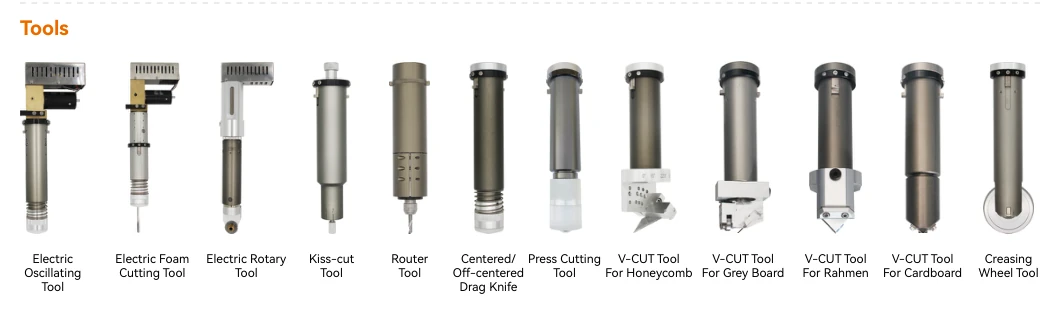
The tools image below shows twelve interchangeable heads, in the same order as the table. Four of them are V-cut tools for different boards. You do not need every tool. Specify the ones that match the work you cut every week.
| Tool | Use it for | Leave it off when |
|---|---|---|
| Electric oscillating tool | Corrugated, honeycomb, KT, PVC foam and thicker flexible stock | Thin film that a drag knife already cuts cleanly |
| Electric foam cutting tool | EPP, EVA, pearl cotton and sponge, up to 50 mm | Thin foam the oscillating knife already handles |
| Electric rotary tool | Textiles, banner fabric and dry carbon fibre, up to 8 mm | Rigid sheet that needs a knife or a router |
| Kiss-cut tool | Labels, adhesive vinyl and printed films — face only, liner intact | Through-cutting the whole sheet |
| Router tool | Light milling on acrylic, ACM, MDF, PVC foam and timber, up to 20 mm. Factory option on SC PRO | Routing is the main process — buy a CNC router instead |
| Centred / off-centred drag knife | Vinyl, thin plastics and light board, around 5 mm or less | Thicker board or foam that stalls or tears |
| Press cutting tool | Presses the knife straight down through the sheet, rather than dragging or oscillating it | A drag or oscillating knife already cuts the job |
| V-cut for honeycomb | Angled grooves in honeycomb so thick board folds into trays and displays | Thin cartons that only need a crease |
| V-cut for grey board | Angled grooves in greyboard and reboard for boxes and structural POS | Thin cartons that only need a crease |
| V-cut for Rahmen | Angled grooves in frame board for display frames | You do not make frames |
| V-cut for cardboard | Angled grooves in cardboard for cartons and display structures | Flat blanks that never fold |
| Creasing wheel | Fold lines in cardboard, corrugated and display board | You only cut parts and never fold them |
Kiss-cut, crease and V-cut
Kiss-cut takes the face layer and leaves the liner. That is the tool for labels, adhesive vinyl and printed films. Pair it with the camera when the cut has to follow printed artwork. Without registration marks, you are guessing the contour by eye.
A creasing wheel scores the fold so a carton or POS structure bends without cracking the print. V-cut goes further: it grooves thicker board at a set angle so it folds into a box or tray. The tools image shows four V-cut heads — honeycomb, grey board, frame board (Rahmen) and cardboard. Specify the head that matches the board you fold, not all four. If packaging samples fill most of the week, specify crease at least. Add V-cut when the board is thick enough that a crease alone will crack or spring back.
That is the workflow Unicon used to get off wood forme tooling for samples and smaller orders. The Unicon case study is the useful read if packaging is why you are looking at a table.
Foam, fabric and the rotary tool
The electric foam tool is for EPP, EVA, pearl cotton and sponge. The brochure rates it to 50 mm, depending on the material. That matches the SC platform maximum. Soft inserts usually cut cleaner on a knife than on a router or a laser.
Textiles, banner fabric and dry carbon fibre cut more cleanly with a rolling rotary blade. That tool is rated to 8 mm. Cured, rigid composites still belong on a CNC router.
If the other option on the desk is a laser, use digital cutting table vs CO₂ laser. Foam, rubber and kiss-cut vinyl usually stay on the knife. Acrylic cutting and engraving usually stay on the laser.
When you need SC PRO and the 350W router
SC Standard and SC PRO share the same platform, vacuum bed and knife tools. The only tier difference is factory support for the optional 350W router. Use that for light milling on the same table — acrylic, ACM, MDF, PVC foam or timber, up to 20 mm depending on the material. It does not replace a production CNC router. If timber, thick plastics or ACM fill the week, start on a router.
The process split is in digital cutting table vs CNC router. Falcon ATC can also take a factory-order APK9 oscillating knife when routing is already the main machine. That is a secondary knife for foam and soft stock. It does not give you crease, kiss-cut or print-and-cut registration. Those stay on a dedicated SC table.
Camera registration
The camera reads printed registration marks so the cut follows the artwork. Specify it if you contour-cut printed packaging, signage or display sheets. Leave it off if every job is a plain blank. The plotting pen draws fold lines or part numbers without using blade life.
What to bring to a quotation
- Your regular jobs — material, thickness and what you cut most often.
- Whether you through-cut, kiss-cut, crease or V-cut.
- Whether artwork is printed and needs camera registration.
- The largest sheet you buy regularly — that sets the bed, not the tool list.
- Whether you also need light routing. If yes, look at SC PRO. If routing leads the week, look at a CNC router first.
- A sample. A short cut on the real stock settles thickness and tool choice faster than a spec sheet.
Next step with Mantech
Mantech supplies SC Standard and SC PRO digital cutting tables. Delivery, installation and operator training are arranged for your site in the UK or Ireland. Bring the materials you cut every week. The tool list should come from that pile.
Compare beds and tools on the digital cutting table range, or call the team — UK 0121 541 1444 · Ireland (+353) 83 804 8820. What drives the quotation is in the digital cutting table cost guide.
Useful next reads
- Digital cutting table range
SC Standard and SC PRO beds, the tool list and the 350W router option.
- Digital cutting tables buyer guide
Whether a knife table is the right machine before you specify tools.
- Digital cutting table vs CNC router
Knife and crease work versus spindle milling, including Falcon APK9.
- Digital cutting table vs CO₂ laser
Cold knife versus heat for foam, vinyl, packaging and acrylic.
- Digital cutting table cost guide
What changes the quotation once the tool list is clear.
Frequently asked questions
What is the difference between an oscillating knife and a drag knife?
An oscillating knife chops up and down. Use it on thicker board and foam when a drag knife would stall or tear. A drag knife is a straight blade pulled through thinner sheet and film — typically vinyl, thin plastics and light board around 5 mm or less. Most SC tables run both.
How thick can an oscillating knife cutter cut?
The SC platform lists a 50 mm maximum, and that figure is material dependent. The electric foam tool is rated to 50 mm on EPP, EVA, pearl cotton and sponge. Do not treat 50 mm as a target for every job. Confirm the actual material with Mantech.
What is kiss-cutting on a digital cutting table?
Kiss-cut takes the face of a label, adhesive vinyl or printed film and leaves the liner intact. Pair it with the camera when the cut has to follow printed artwork. Through-cutting the whole sheet is a different tool.
Do I need a crease tool for cartons?
Yes, if you fold the part. A creasing wheel scores cardboard, corrugated and display board so the fold does not crack the print. V-cut is for thicker board that needs an angled groove. The tools image shows four V-cut heads for honeycomb, grey board, frame board and cardboard — specify the one that matches your stock. If you only cut flat blanks, you can leave crease and V-cut off.
When do I need SC PRO instead of SC Standard?
When you need the optional 350W router for light milling on the same table. Standard and PRO share the knife, crease and plotting tools. PRO is factory-configured for the router. If routing is the main process, buy a CNC router. The 350W head will not replace one.