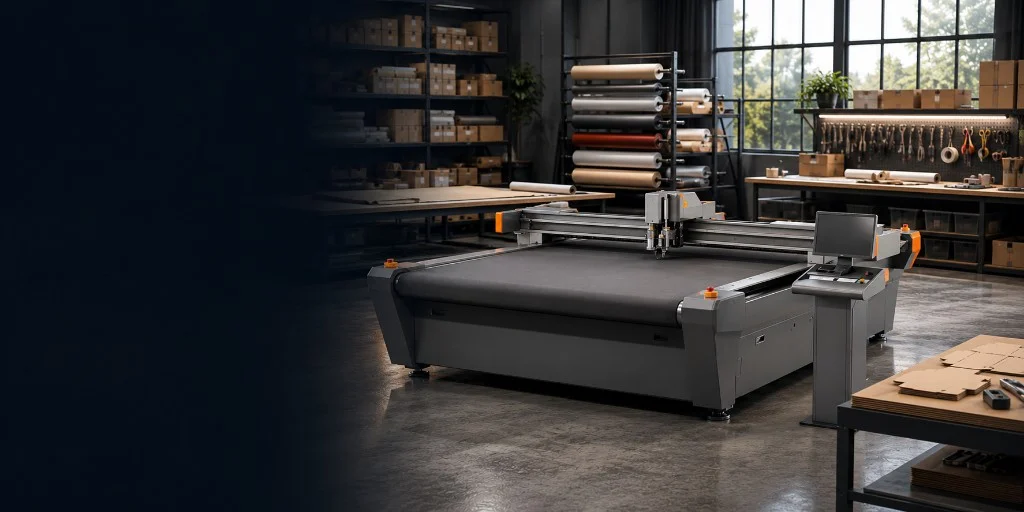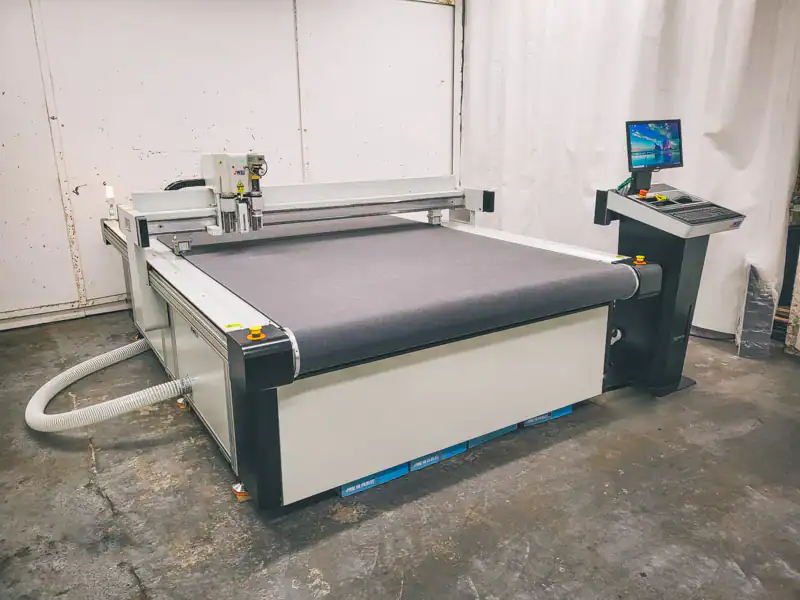
A digital cutting table is built for jobs better handled by a knife or crease wheel than by a routing spindle or laser: creased packaging samples, contour-cut display board, foam inserts, vinyl, textiles and other non-metallic materials. You may also hear the same type of machine described as a CNC knife cutter, digital flatbed cutter, oscillating knife cutting machine or simply a digital cutter. This guide explains how the process works, where it fits within a workshop and what to check before choosing a machine from the Mantech SC range.
Digital cutting tables excel at foam, card and flexible materials where a router spindle is the wrong tool. See the digital cutting table range, understand what drives price in the cost guide, and browse packaging and display work on installations.
What is a digital cutting table?
The machine works from a digital drawing. A vacuum bed holds the material flat while the gantry follows the programmed path with a knife, creasing wheel, pen or other fitted tool. Because the shape comes from the file rather than a steel-rule die, changing from one job to the next is quick and does not require a new cutting forme.
- Vacuum hold-down keeps sheet material steady while the machine cuts.
- Interchangeable tools cover knife cutting, creasing, kiss-cutting and marking.
- SC PRO can be factory-configured for the optional 350W router attachment.
- Optical registration aligns the cut path with printed packaging and signage artwork.
- The right bed size and tool package depend on the materials and sheet sizes you use every day.
Compare bed sizes and tooling on the digital cutting table range. Mantech supplies SC Standard and SC PRO machines with delivery, installation and operator training on UK mainland orders.
Where digital cutting tables fit
These machines make the most sense when jobs change often, quantities are modest or the material needs a clean knife cut rather than heat or a rotating spindle. Common users include:
- Sign and display companies cutting board, foam, vinyl and printed graphics.
- Packaging converters making samples, inserts and short runs of cartons.
- Product designers producing prototypes without waiting for cutting formes.
- Schools and colleges teaching CAD-to-production workflows.
- Fabricators working with flexible and semi-rigid non-metallic materials.
Browse sector context on the applications hub, signage routing on CNC routers for sign making, and education planning on the education machinery hub.
Digital cutting table, CNC router or laser cutter?
There is no single cutting process that suits every workshop. The material and the finish you need should decide the machine:
- Choose a digital cutting table for knife-cut board, foam, textiles, vinyl, gaskets and packaging that needs creasing or kiss-cutting.
- Choose a CNC router for timber, acrylic, rigid plastics, composites and jobs that need profiling or engraving with a spindle.
- Choose a CO2 laser for cutting and engraving acrylic, timber, laminates and other laser-compatible non-metals.
- Choose a fibre laser for sheet metal fabrication.
If your work spans several of these materials, compare the CNC router, CO2 laser and fibre laser ranges as well. Many workshops use two processes because asking one machine to cover everything usually creates compromises.
What to check before choosing a digital cutting table
- Your regular materials and their thicknesses, rather than an unusual one-off job.
- The largest sheet and nested job that must fit on the bed.
- The tools each job needs: oscillating knife, crease wheel, kiss-cut tool, pen, router or optical registration.
- How artwork and CAD files move from your design software to the machine.
- Daily volume, job changeovers and how operators will load and unload material.
- Floor space, site access and the required electrical supply.
- Installation, training and the support available after handover.
Full specifications for the current SC range are on the digital cutting table page. To discuss your materials and jobs, request a quotation or call 0121 541 1444.
SC Standard or SC PRO?
Standard and PRO are built on the same SC platform, with the same motion system, vacuum bed and core knife, crease and plotting tools. Start by choosing a bed that fits the sheets you actually buy. Then decide whether you need the optional 350W router attachment: if you do, specify PRO; if you do not, Standard keeps the choice straightforward.
| Range | Bed formats | Best fit | Key distinction |
|---|---|---|---|
| SC Standard | Five fixed-bed sizes from 1300 × 1100 mm to 2000 × 3000 mm | Packaging samples, signage, display work and knife/crease production | Core knife, crease, plotting and vacuum-bed platform |
| SC PRO | Four fixed-bed sizes from 1300 × 2500 mm to 2000 × 3000 mm | Mixed knife, crease and light-routing work | Same platform with factory configuration for the optional 350W router attachment |
The SC model catalogue lists all nine configurations. If you are unsure about PRO, bring the material and the job file to a demonstration; a real test cut is more useful than guessing from a specification sheet.
Applications that can benefit from digital cutting
Signage and display work
With optional optical registration, the camera aligns the cut path with printed artwork. Knife and kiss-cut tools then handle display board, vinyl and other sign materials without applying heat. This is particularly useful for short runs and shaped graphics.
Packaging prototypes and print finishing
Packaging teams can cut and crease sample cartons, inserts and structural board straight from the design file. That makes it easier to test a shape, make one-off samples and revise the artwork before paying for production tooling.
Education and training
Schools and colleges can teach the complete route from CAD drawing to a finished part. Confirm site access, power requirements and operator training before ordering.
Plan department setup on education machinery and read the education warranty plan where relevant.
Plastics, textiles and custom fabrication
Typical materials include textiles, banner fabrics, rubber and gasket sheet, plus plastics suited to the selected tool. Tool choice matters, and unfamiliar materials should be tested before a machine is specified.
Product development and prototyping
For one-off parts and small batches, changing a drawing is much quicker than ordering another die. Designers can cut a sample, check the fit and revise it while the project is still taking shape.
Why support and installation matter
The bed size is fixed, and the tooling package should match your regular work, so the buying conversation needs to begin with your materials and jobs. Mantech supplies SC digital cutting tables across the UK, with delivery, installation, operator training and warranty cover on standard UK mainland packages. Technical support is handled from Halesowen.
- Machine and tooling chosen around samples of your real work.
- On-site installation and commissioning before handover.
- Operator training covering the control, tool changes and daily checks.
- UK-based service and technical support.
Service information is available in the help centre. For examples from UK workshops, read the Unicon case study and browse recent machine installations.
How Unicon uses digital cutting for packaging
Unicon Ltd wanted a better way to produce one-off packaging samples and smaller orders. Traditional wooden formes added cost and made design changes slow. Bringing digital cutting in-house meant the team could make samples without first ordering tooling, turn revisions around faster and keep closer control of the finished part.
Unicon said: “The machine has given us faster turnaround for smaller volume orders and allowed us to provide one-off samples without committing to tooling costs during early design stages. We also now have more control over the quality of the finished product.”
Read the full Unicon case study or compare machines on the SC digital cutting table range.
What a digital cutting table changes day to day
- Cut and crease samples without waiting for a new die.
- Save proven jobs and run them again with consistent toolpaths.
- Change tools as work moves between packaging, signage and display jobs.
- Use the table alongside a CNC router or laser when the workshop handles a wider material mix.
- UK mainland packages include delivery, installation and operator training.
Software, vacuum hold-down and training
In day-to-day use, the operator prepares the drawing, nests the parts, loads the material and assigns the correct tools. The vacuum bed keeps the sheet in place while the machine runs the cut path. Good training should cover that entire routine, including tool setup, checking hold-down and the simple maintenance that prevents avoidable stoppages.
Choosing your SC machine
Mantech supplies SC Standard and SC PRO tables with UK mainland delivery, installation, operator training and technical support. Before asking for a quotation, gather a few representative materials, artwork files and the sheet sizes you buy most often. Those details make it far easier to choose the right bed and tools.
Start on the SC digital cutting table hub for current models, tooling and specifications. The running cost calculator helps you test electricity and shift assumptions before you ask for a quote. Call 0121 541 1444 or request a quote with your materials and sheet sizes ready.
Useful next reads
- Digital cutting table range
Current SC Standard and SC PRO bed sizes, tools and full specification.
- Digital cutting table cost guide
What drives the quotation — bed size, tooling, Standard vs PRO and ownership.
- Digital cutting table vs CNC router
Knife and crease work versus spindle milling — including Falcon APK9 and SC PRO crossover options.
- Digital cutting table vs CO₂ laser
Cold knife, crease and kiss-cut versus laser cutting and engraving on non-metals.
- Oscillating knife cutter guide
Which knives, crease tools and when the SC PRO router attachment is needed.
- Machine running cost calculator
Test electricity and shift assumptions with your own hours and rates.
- Applications hub
Find machinery routes for signage, packaging, education, plastics and display work.
- Unicon case study
Read how a UK packaging company handles samples and smaller orders without forme tooling.
- Installation stories
See machines delivered and commissioned in workshops around the UK.
- CNC router hub
Compare spindle-based machines for timber, rigid plastics and composites.
- CO2 laser hub
Explore laser cutting and engraving for acrylic, timber and laminates.
- Help centre & support
Find service information and technical help after installation.
- Contact Mantech
Arrange a demonstration in Halesowen or discuss your materials with the team.
Frequently asked questions
Is a digital cutting table the same as a CNC knife cutter?
Broadly, yes. Digital cutting table, CNC knife cutter, digital flatbed cutter and oscillating knife cutting machine are common names for the same type of flatbed CNC equipment. The tools fitted to a particular machine determine whether it can cut, crease, kiss-cut, mark or perform light routing.
What materials can a digital cutting table cut?
Common materials include corrugated and honeycomb board, cardboard, foam, selected plastics, textiles, vinyl and gasket sheet. The correct tool and blade depend on the material and thickness, so test anything outside your regular workload before specifying the machine.
Is a digital cutting table the same as a CNC router?
No. A digital cutting table mainly uses knives and wheels for board, foam and flexible materials. A CNC router uses a high-speed spindle for timber, rigid plastics and composites. SC PRO can accept an optional 350W router attachment, but it is not a replacement for a full production CNC router.
What is the difference between SC Standard and SC PRO?
Both ranges use the same SC platform, motion system, vacuum bed and core knife, crease and plotting tools. Standard comes in five fixed-bed sizes. PRO comes in four fixed-bed sizes and can be factory-configured for the optional 350W router attachment.
Are UK delivery, installation and operator training included?
Yes, standard UK mainland SC packages include delivery, installation, commissioning and operator training, together with UK warranty and technical support. The quotation will confirm site access, services and any optional tooling.